
 Supplier Portal
Your catalog,
in your suppliers’ hands.
Labels, producers and distributors maintain their own recordings and releases under a login of their own, and deliver them to FTP, SFTP or S3 as delivery-ready metadata. Not a request queue — they own the records and edit them directly.
Let your partners
do the typing.
Labels, producers and distributors keep their own recordings and releases in a login of their own — and deliver them straight to your servers as delivery-ready metadata. Nothing is requested from anyone, and nothing is re-typed at your end.
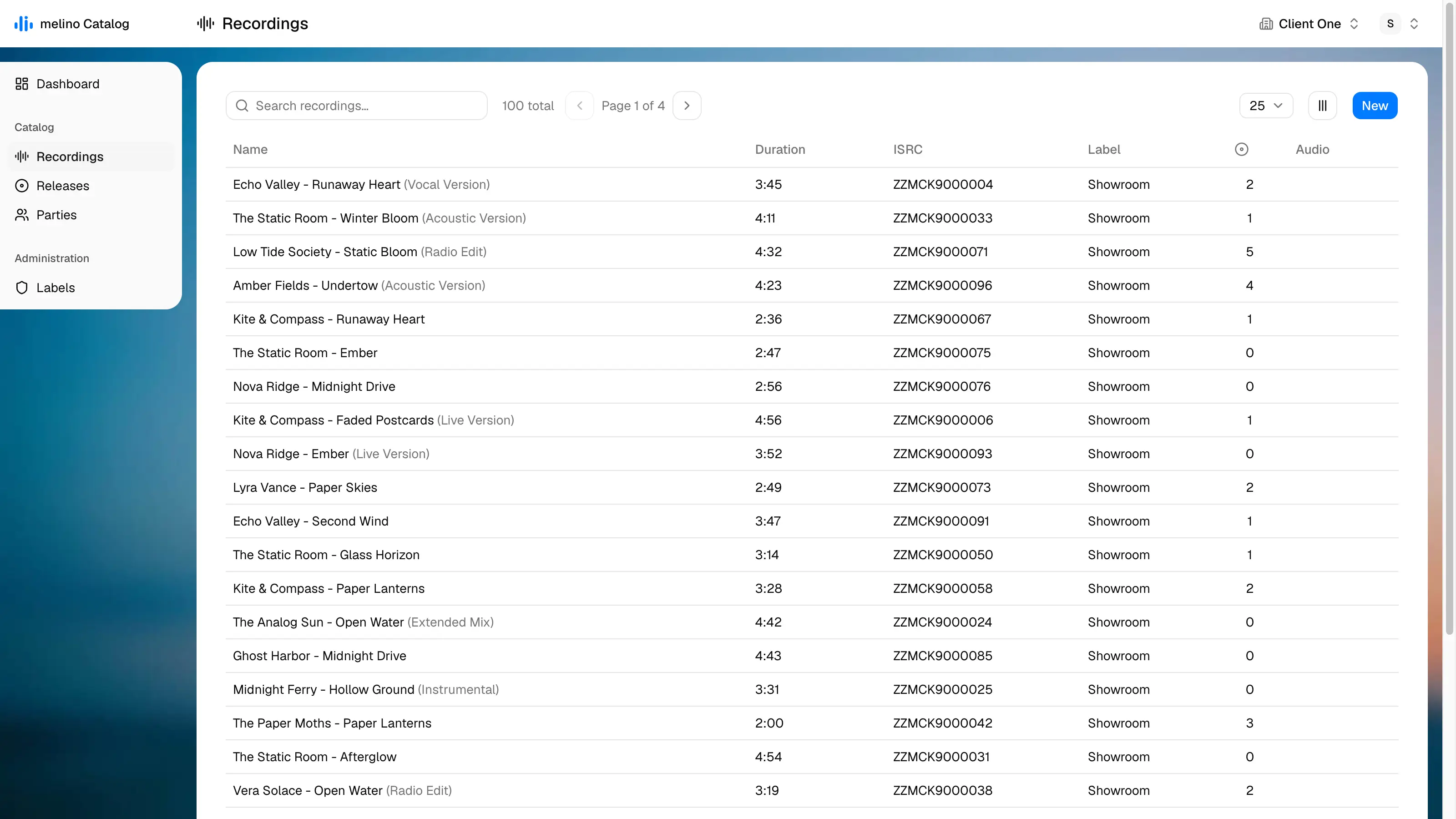
Recordings
Your masters, and what is on them
One master, on every release it belongs to
A Recording is the DDEX SoundRecording, and it stands on its own: its own title, credits, ISRCs and audio master, so the same recording sits on the album, the single and the compilation at once. Several ISRCs are allowed with one marked main, the format is checked as you type, and the master goes straight from your browser to storage.
Main artist
Feature artist
Producer
Artist credit
Amber Fields, Coral Drift feat. Lyra Vance
Parties
One name, every credit that uses it
Credit someone once, correct them everywhere
One party record stands behind every credit that names it, so a spelling fixed once is fixed on all of it. Credits are chips you drag: within a group to set the billing order, onto another to change the role. That order is what writes the artist credit.
DDEX ERN
Validated & sent. In batches.
Checked against the real schema
A release builds into a DDEX ERN 4.3 NewReleaseMessage and is checked against the vendored DDEX XSD — the schema as DDEX publishes it. Failures come back as line numbers, so a missing label, artist, duration, UPC or ISRC points at a place in the XML. Structural validation only: Schematron business rules are not applied.
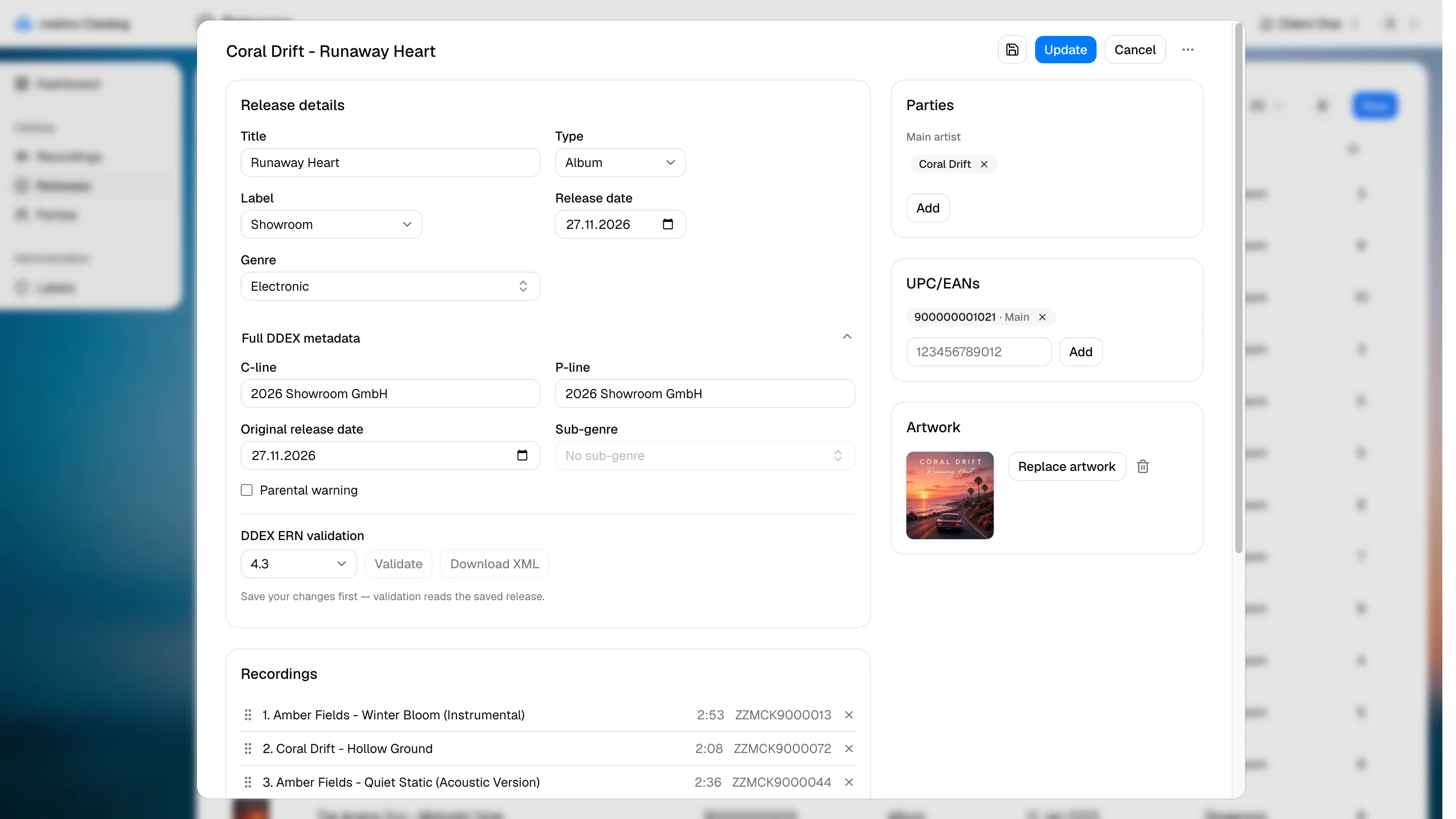
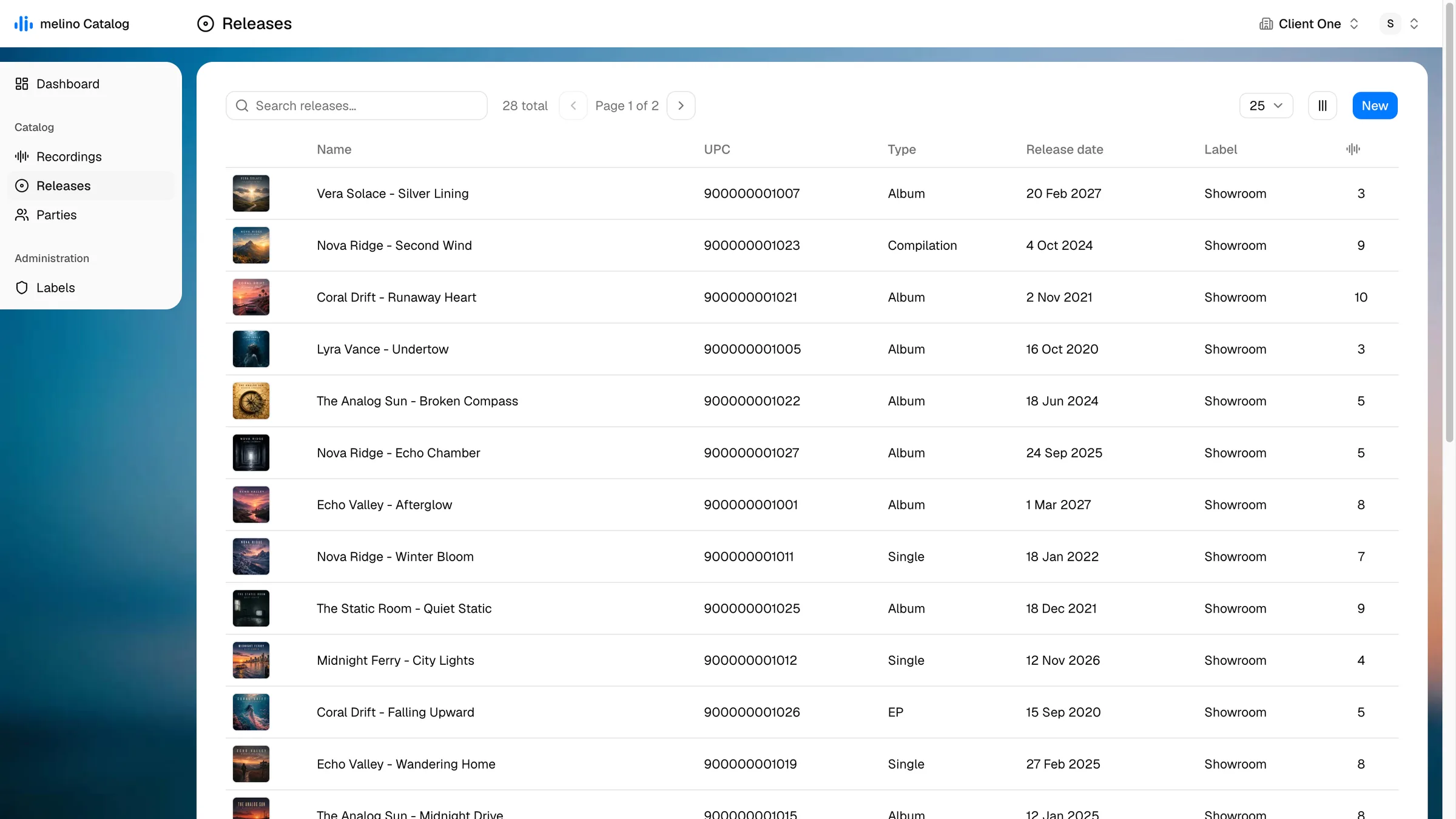
Releases
The product, assembled
The product, and everything it carries
A Release is what you deliver — single, EP, album or compilation — with its UPC/EANs, its artwork, its C-line and P-line, and a track list dragged into order. Nothing is numbered by hand: the position becomes the track number when you save. Core metadata gets it into the catalog; Full DDEX is what a DSP asks for before taking it.
Catalog delivery
Parties, recordings, releases, delivered.
Four acts, in the order they happen — one product, from the first name credited on it to the files that land on your partner’s server.
Step 1: Parties
The people and companies your catalog credits.
Create the party
Parties
Or invent one while crediting someone
Recordings
See everything that names it
Parties
Rename once, and every credit follows
Parties
Step 2: Recordings
The masters, with their identifiers and their credits.
Create the recording
Recordings
Add the ISRCs and set the main one
ISRCs
Credit the performers, in billing order
Parties
Upload the master
Audio
Step 3: Releases
The product, assembled out of what is already in the catalog.
Create the release and set its type
Releases
Add the UPC/EANs and set the main one
UPC/EANs
Upload the cover
Artwork
Add the tracks and drag them into order
Recordings
Step 4: Deliver
Checked against the schema, then copied to your partners.
Validate the release against the schema
DDEX ERN
Add the partner and test its connection
Partners
Pick the partners and the releases
Deliveries
Deliver, and follow the log
Deliveries
Nothing is saved until you press Save. Uploading a file is the exception and commits immediately; deleting anything asks first.