
Recordings
General
A Recording is a single sound recording - the DDEX SoundRecording resource. It carries its own metadata, its own ISRCs and its own audio master, and it exists independently of any Release it appears on. The same recording can sit on an album, on a single and on a compilation at once.
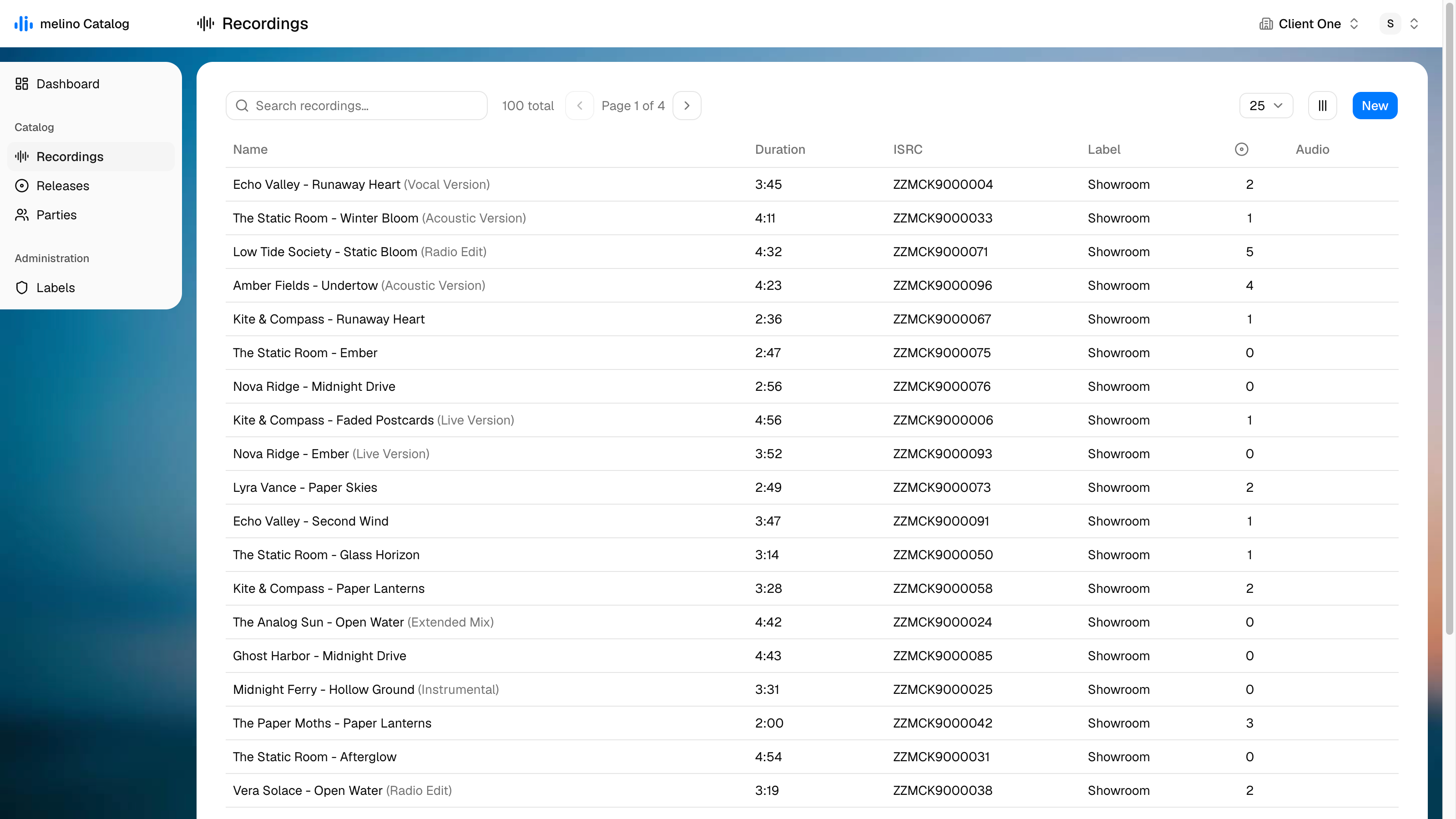
The list is sorted newest-first until you sort it otherwise. Search matches the title, the version, the artist credit and the ISRC.
| Column | Description |
|---|---|
| Name | Artist - Title (Version). The version is shown in grey |
| Duration | Running time as m:ss |
| ISRC | The main ISRC of the recording |
| Label | The imprint the recording is assigned to |
| Releases | How many releases the recording appears on |
| Audio | A play button, if an audio master has been uploaded |
| Created / Modified | Hidden by default - switch them on in the column menu |
Sorting by Audio ascending brings the recordings that already have a master to the top, and descending brings the ones still missing one - which is the useful direction when preparing a delivery.
New creates a recording called Untitled recording and opens it straight away. There is no inline create form; everything happens in the editor.
Edit view
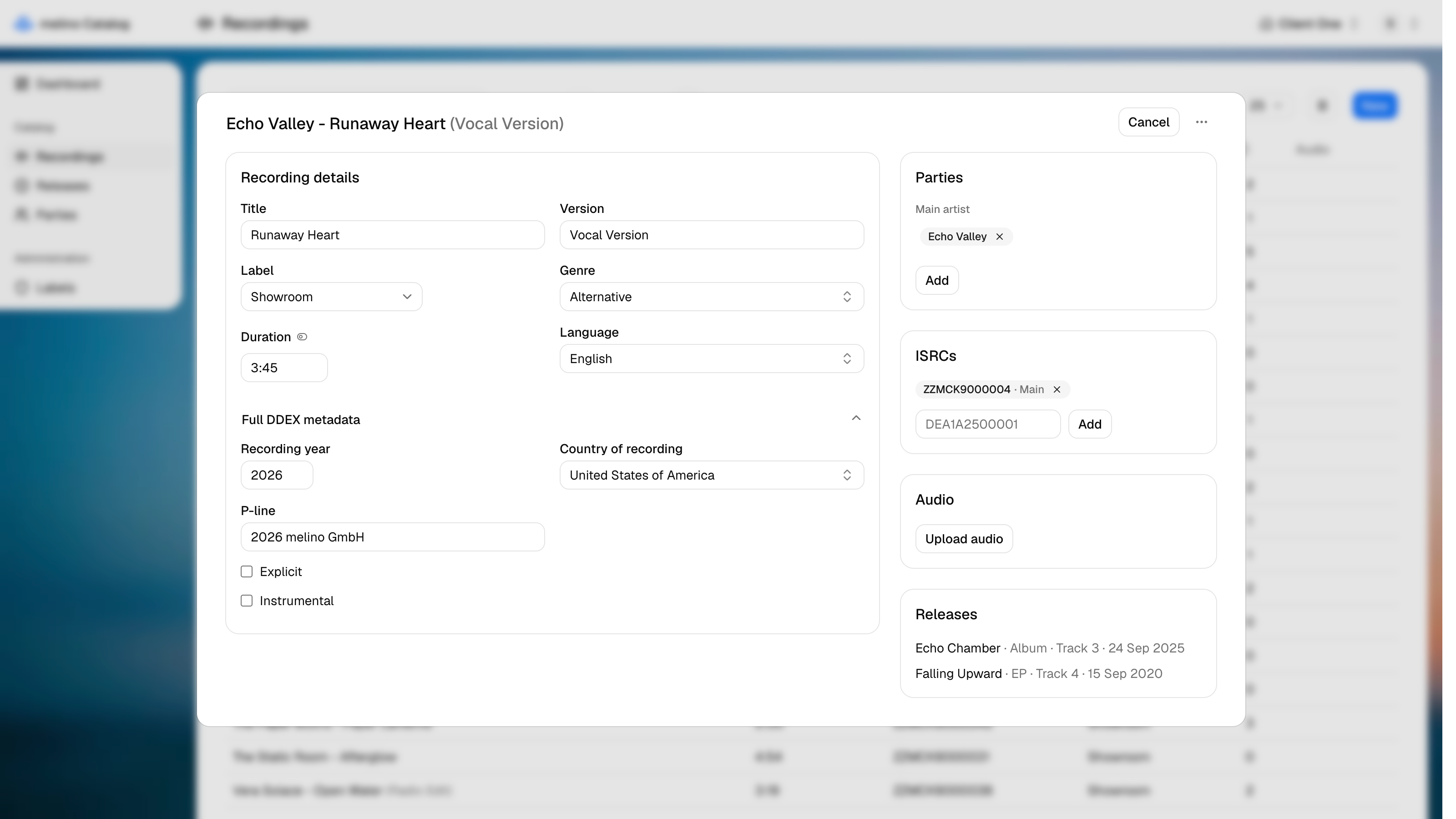
Recording details
| Field | Description |
|---|---|
| Title | The recording title (required) |
| Version | Version title, e.g. Radio Edit, Acoustic Version, Instrumental |
| Label | The Label the recording is issued on |
| Genre | DDEX genre, from the Allowed Value Sets |
| Duration | Running time. The toggle next to the label switches the field between m:ss and plain seconds |
| Language | Language of the performance |
Full DDEX metadata
Collapsed by default:
| Field | Description |
|---|---|
| Recording year | Year the recording was made |
| Country of recording | Where it was recorded |
| P-line | The phonographic copyright line |
| Explicit | Content advisory flag |
| Instrumental | Set when the recording has no lyrics |
Parties
Credits for the recording, grouped by role. Only performer-side roles are offered here - Main artist, Feature artist, Remixer, Producer and Studio musician. Creator-side roles such as composer and lyricist belong to the musical Work, not to the recording.
Until a main artist exists, the role is pre-picked and the fields stay open, because a recording without one is incomplete. Once there is one, adding another credit moves behind an Add button.
Chips can be dragged: within a group to change the billing order, onto another group to change the role. The order is what builds the artist credit - main artists first, then featured after feat., e.g. Amber Fields, Coral Drift feat. Lyra Vance. The same party cannot hold the same role twice.
A party that does not exist yet can be invented in place: type the name into the party field and choose Create party "…". It is staged like every other change and only inserted into Parties when you save.
Works
The compositions this recording is a performance of. Pick a Work under Add a work... to link it, or remove it with the x. The linked works are the source of the read-only Copyright section further down the page, which lists their writers, publishers and shares.
ISRCs
A recording can carry several ISRCs; one of them is the main one, and that is the one shown in lists and used in the ERN message. The first one added becomes main automatically; Set main moves it. Removing the main one promotes the next in the list, so a recording is never left without one.
The format is validated on entry: two letters, three alphanumeric characters and seven digits, e.g. DEA1A2500001. Input is upper-cased for you, and a duplicate is rejected.
Audio
Upload the master here - WAV, FLAC or MP3. Unlike everything else on the page, an upload saves immediately. See Audio and artwork.
Releases
A read-only list of the releases this recording appears on, newest first, each with its release type, its track number and its release date. It is the counterpart of the track list on the release.