
Contracts
General
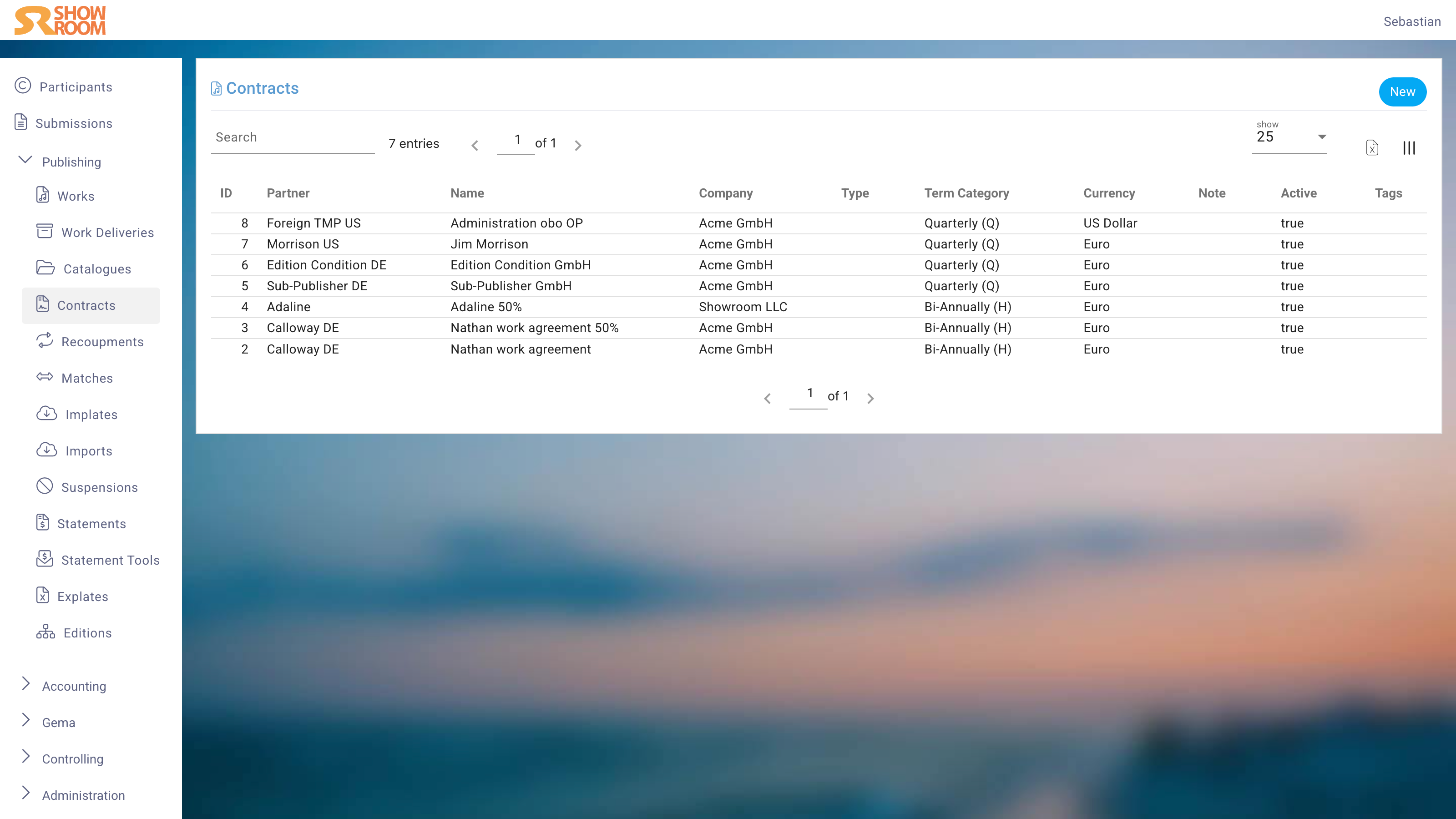
A Contract defines the agreement between your company and a Partner: which Works or Catalogues are covered, what share percentages apply, and under which territories and distribution channels.
Edit View
General
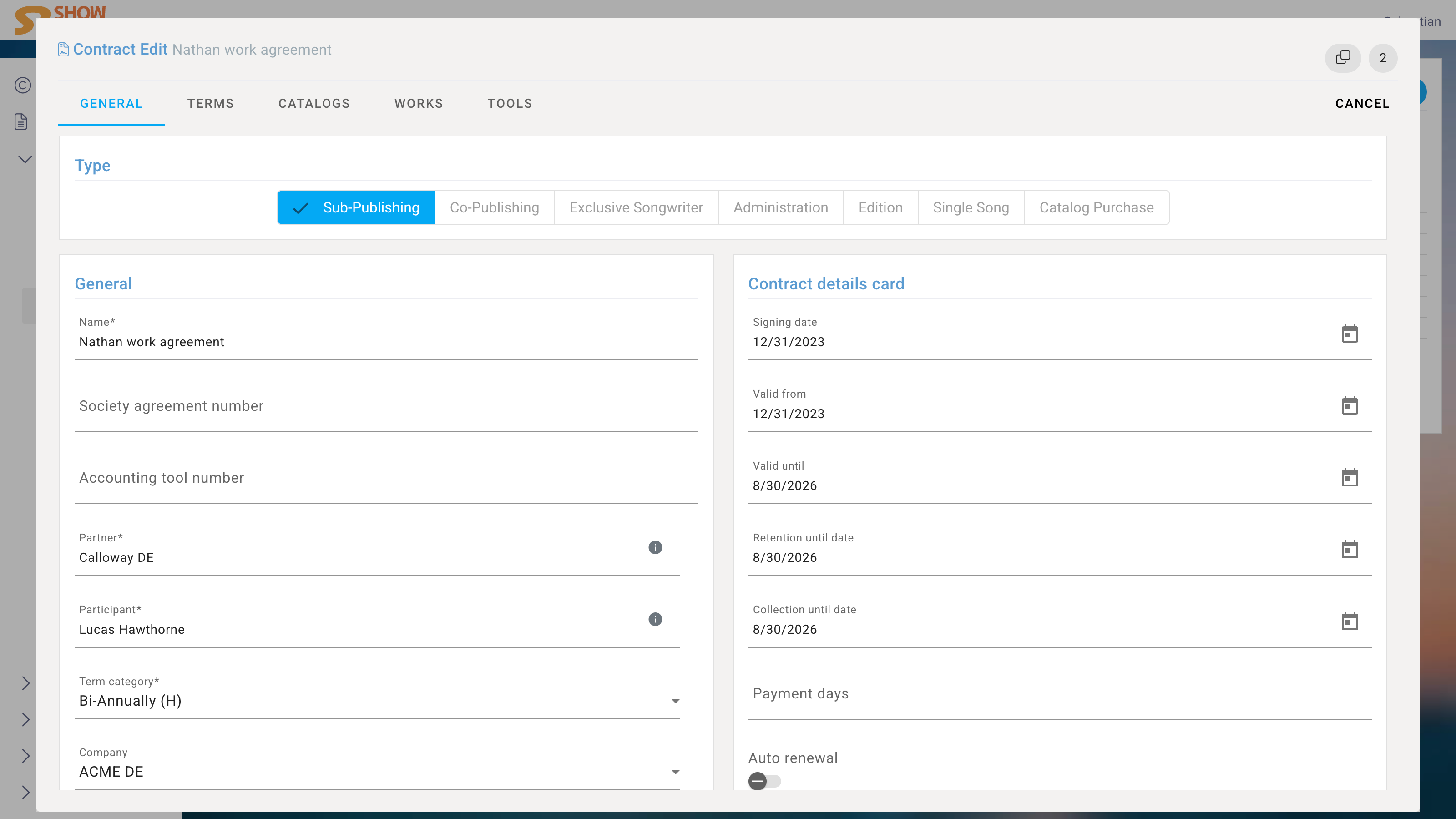
| Field | Description |
|---|---|
| Name | Contract name (required) |
| Partner | The Partner who is the financial payee (required) |
| Participant | The Work Participant whose shares are used for automatic calculation (required) |
| Type | Contract type (e.g. Administration, Co-publishing) |
| Term Category | Accounting period structure |
| Company | The company entity this Contract is under |
| Currency | Billing currency |
| Active | Toggle to enable/disable the Contract |
| Society Agreement Number | Reference number from the society |
| Accounting Tool Number | Internal reference |
| Signing Date | Date the Contract was signed |
| Valid From / Valid Until | Contract validity window |
| Retention Until | How long to retain the Contract for audit purposes |
| Collection Until | End of the royalty collection period |
| Payment Days | Days after statement close until payment is due |
| Auto Renewal | Automatically renew the Contract on expiry |
| Opening Balance | Starting balance (e.g. from a previous system) |
| Notes | Internal notes |
The available Contract Types are configured company-wide in the Publishing Settings.
Terms
Terms define the financial rates per territory and channel. Each term row specifies:
Territory / Continent / Country
The geographic scope of the term.
Distribution Channel
E.g. Streaming, Download, Physical, Sync.
Configuration
E.g. Exclusive, Non-exclusive.
Publishing Source
The originating source of this income.
Deal Type
The type of deal being applied.
Rate
The royalty percentage.
Reduction
Any applicable reduction to the rate.
Works
Assign individual Works to this Contract. For each Work, specify the share percentage covered by this Contract.
All shares across Contracts for a Work must sum to 100%.
Catalogue
Assign entire Catalogues to this Contract. Each Catalogue gets a share percentage, which applies to all Works within it.
Advances
Record advance payments made under this Contract:
Amount
The advance amount.
Date
The date the advance was paid.
Sort Order
Display ordering.
Advances are tracked against the Contract and offset against future payouts.
Files
Upload signed Contract documents, amendments, or any supporting files directly to the Contract record.