
Partners
General
A Partner is a third party that receives your releases - a distributor, a store, a platform. Each partner holds exactly one delivery account: where the files are sent and how to log in there. Partners are what a Delivery is addressed to.
| Column | Description |
|---|---|
| Name | The partner's name |
| Protocol | FTP, SFTP or S3 |
| Destination | Where the files go, such as sftp://eu-sftp.disco.ac/upload |
| Audio | The preferred audio format, FLAC or WAV |
New creates a partner and opens it. Partner names are unique per client.
Edit view
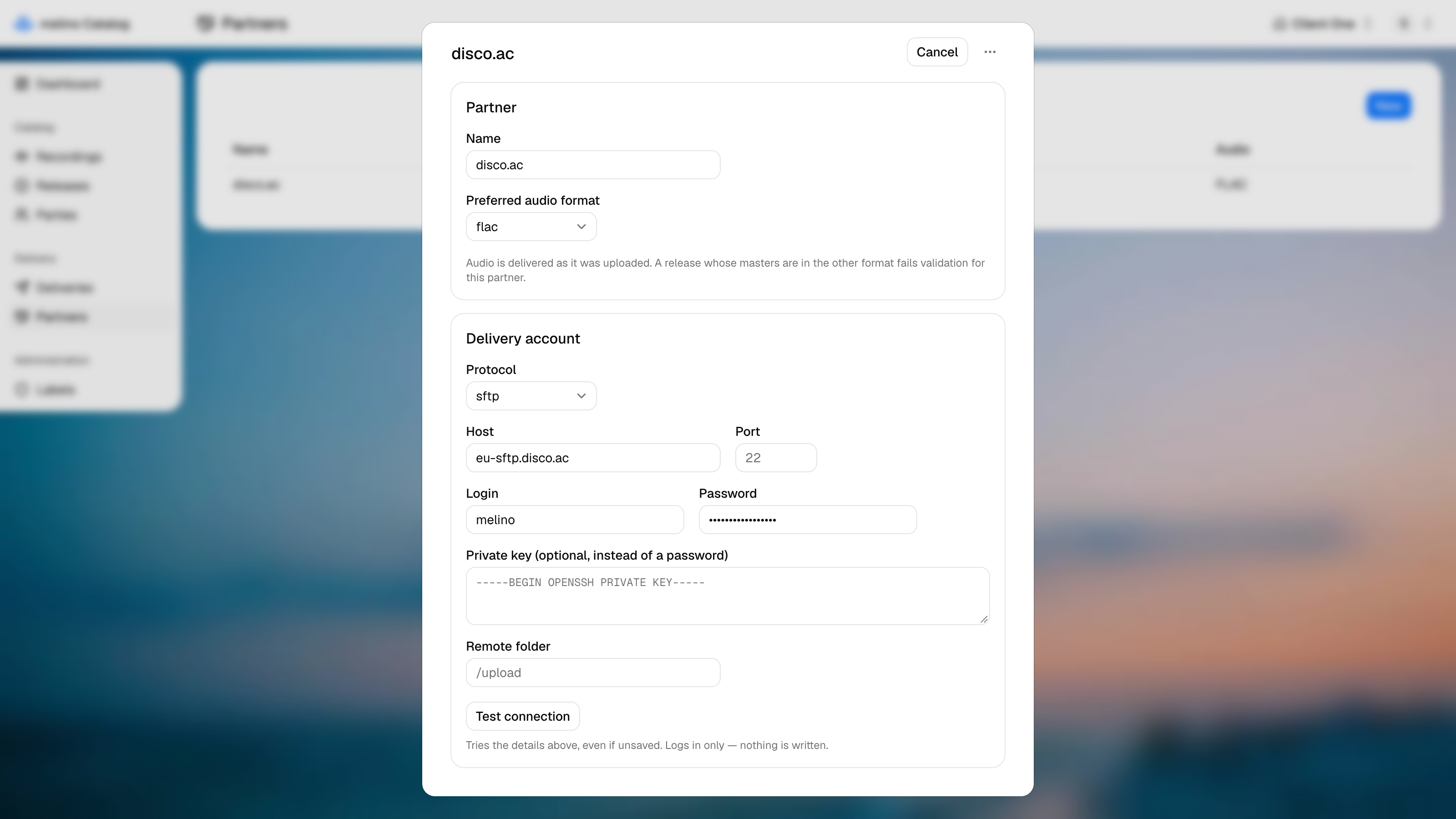
Partner
| Field | Description |
|---|---|
| Name | How the partner appears in the list and in a delivery |
| Preferred audio format | FLAC or WAV - the format this partner wants the audio in |
Audio is delivered exactly as it was uploaded; nothing is converted. If a release has a master in the other format, the delivery fails validation for this partner, and the log says which track it is. Upload the master in the right format on the Recording and deliver again.
Delivery account
Choose the Protocol first - the fields below it follow from it.
| Protocol | Fields |
|---|---|
| FTP | Host, Port (21 if left empty), Login, Password, Remote folder |
| SFTP | Host, Port (22 if left empty), Login, Password or Private key, Remote folder |
| S3 | Bucket, Region, Access key ID, Secret access key, Key prefix |
The Remote folder (or Key prefix for S3) is where the delivery's batch folder is created. Leave it empty to deliver into the account's root.
For SFTP, a private key can be pasted in place of a password.
Credentials are stored as plain text for now. Use an account that is dedicated to deliveries from melino and can do nothing else.
Test connection
Test connection at the bottom of the card tries the account as it is on screen, saved or not. Fix a typo, test again, and only then press Save.
The test does what a Delivery does before it copies anything, and writes nothing:
| Protocol | What is tried | What it reports |
|---|---|---|
| FTP, SFTP | Logs in with the login, password or key | Whether the remote folder exists. A folder that is missing is fine - a delivery creates it |
| S3 | Reaches the bucket with the access key | The bucket and the key prefix files will be written under |
The result appears below the button: a green check with what was found, or a red cross with the reason the server gave, such as a refused login or a host that cannot be reached. Missing fields are named - Missing: no host, no login - without contacting anything. A server that does not answer within 20 seconds is reported as such.
Any change to the form clears the last result, since it no longer describes what is on screen.
A delivery repeats the same check for every partner before copying, so a partner that passes here will connect there too.
The usual rules apply - nothing is saved until you press Save, and deleting a partner asks first. See Editing and saving.