
Statements
Statements in the Portal are the royalty statements Labels create in Label Statements and Publishers in Publisher Statements. Here the Partner views and downloads their own copies.
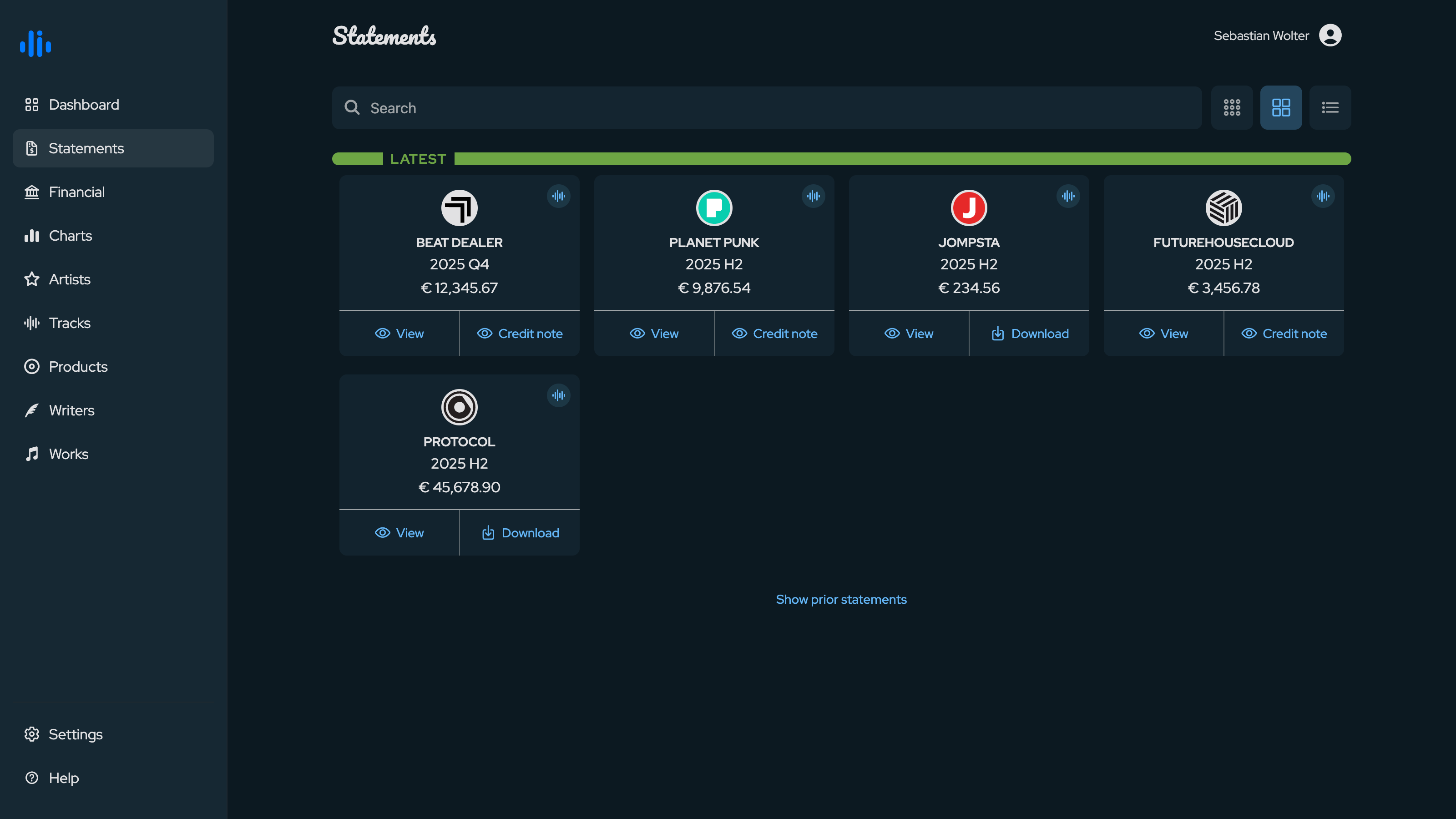
The Statements screen lists every statement addressed to the Partner. Statements are grouped into Latest and Prior, so the most recent period is always front and center; older periods stay tucked away behind the Show prior statements toggle.
Each statement is shown as a card with the company logo, the billing period (for example 2025 H2 or 2025 Q4) and the payable amount. You can search across labels, publishers, periods and status, filter by statement type (Label, Publishing, both), and on the web switch between a grid and a list view.
Actions
Every statement card offers up to three actions:
- View opens the statement in detail, with the contract breakdown, sales and recoupments - the same structure described in Label Statements and Publisher Statements.
- Download provides the statement documents. The PDF is the formal overview; the Excel file lists all sales in detail, including how each licence fee was calculated.
- Credit note lets the Partner review or issue the credit note / self-billing document for the statement, where the Label or Publisher has enabled it. This may require a completed Financial profile first.