
Tracks
Tracks are the foundation for your Products and royalty accounting. In the Tracks component, you manage meta data, audio files, and further attributes of your recordings.
List View
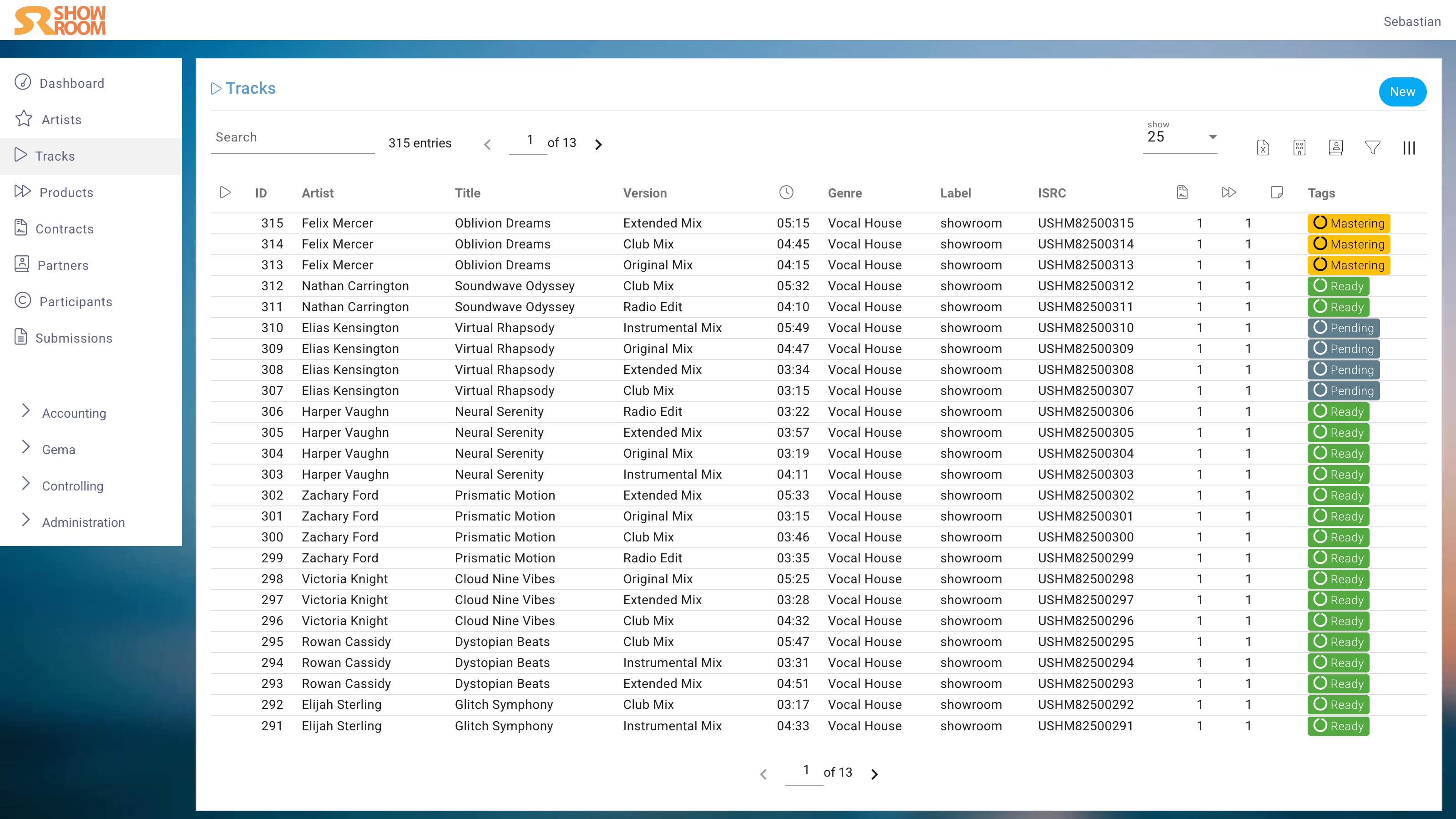
In the List View, you can quickly see key information such as the title, version, ISRC, label, type, and duration of each Track. You can also use the search and filter functions to find specific Tracks or groups of Tracks based on various criteria.
The Contracts column shows the number of contracts associated with this track.
The Products column shows how many products the track appears on.
Many more columns can be displayed using the column manager in the upper right corner.
Edit View
General
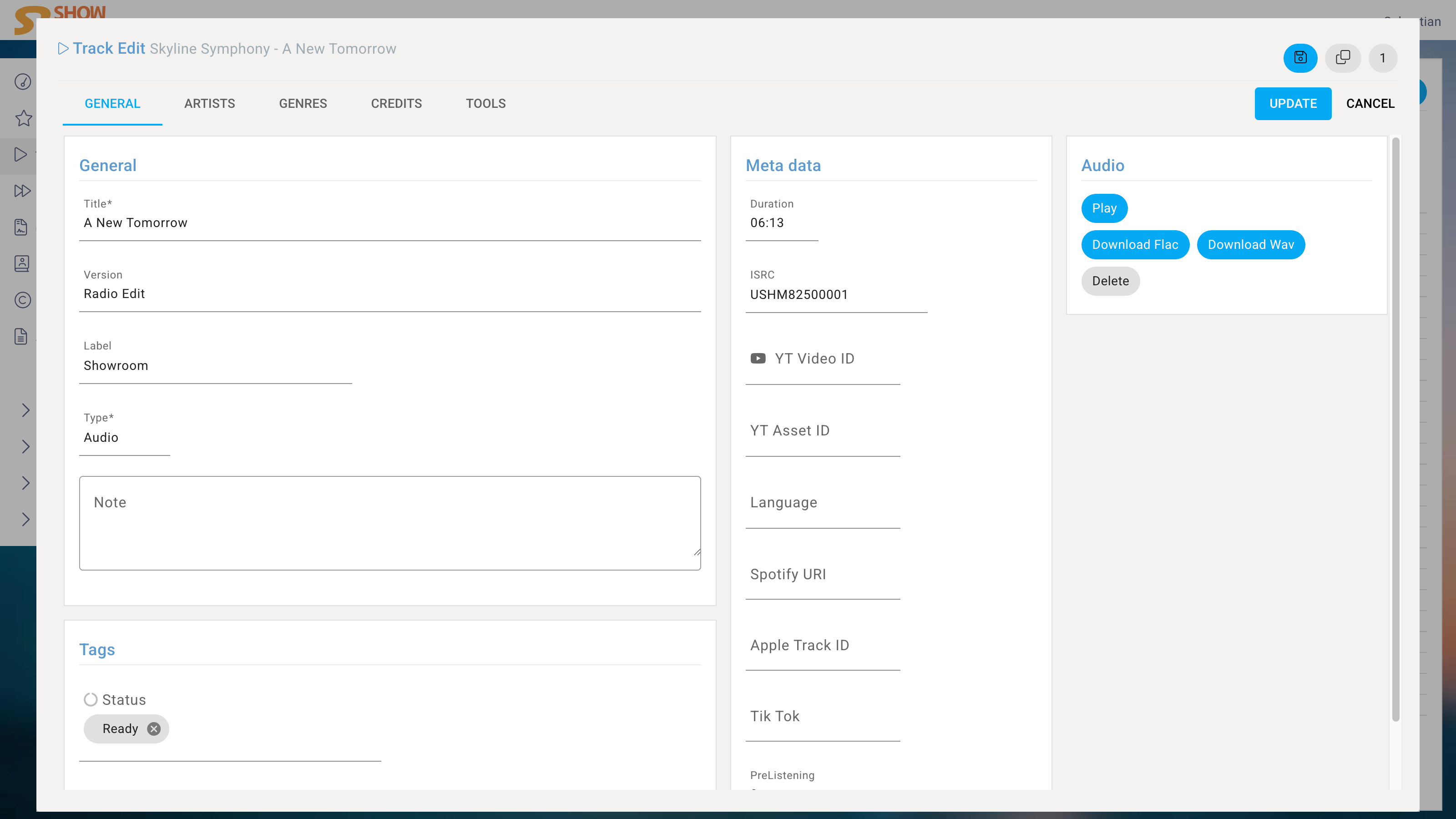
If you click on a track, the Edit dialog opens. Here you can set the title and version, select the label, define the type like audio or video, and add a note for further context.
Type
Four types are available:
- Audio: normal audio recording
- Video: video, e.g., a YouTube clip
- Medley: continuous mix of Parts
- Part: component of a Medley
Duration
When the audio file in the format WAV or FLAC is uploaded, the system will automatically use the file to calculate the track’s duration. As an alternative, the duration can also be entered manually in the format mm:ss.
ISRC
The key identifier ISRC can be entered manually but the system can also generate the next available one with your very own root.
YouTube Asset ID
If the track is a YouTube video, the YouTube Asset ID can be entered here. In normal operation, however, YT Asset IDs are assigned to this track during a YouTube sales report and not manually at this point.
Language
The language of the track can be selected here. This is relevant for distribution to aggregators, as the language is often required for delivery.
Further IDs
Depending on the instancem Spotify ID, Apple Music ID or TikTok IDs can be assigned. However, these are not required for sales imports, as the system can also assign them automatically based on the ISRC.
Audio
To upload the audio file, it must be in WAV or FLAC format. Once uploaded, the system will automatically calculate the duration of the track. The audio file can be downloaded at any time.
Artists
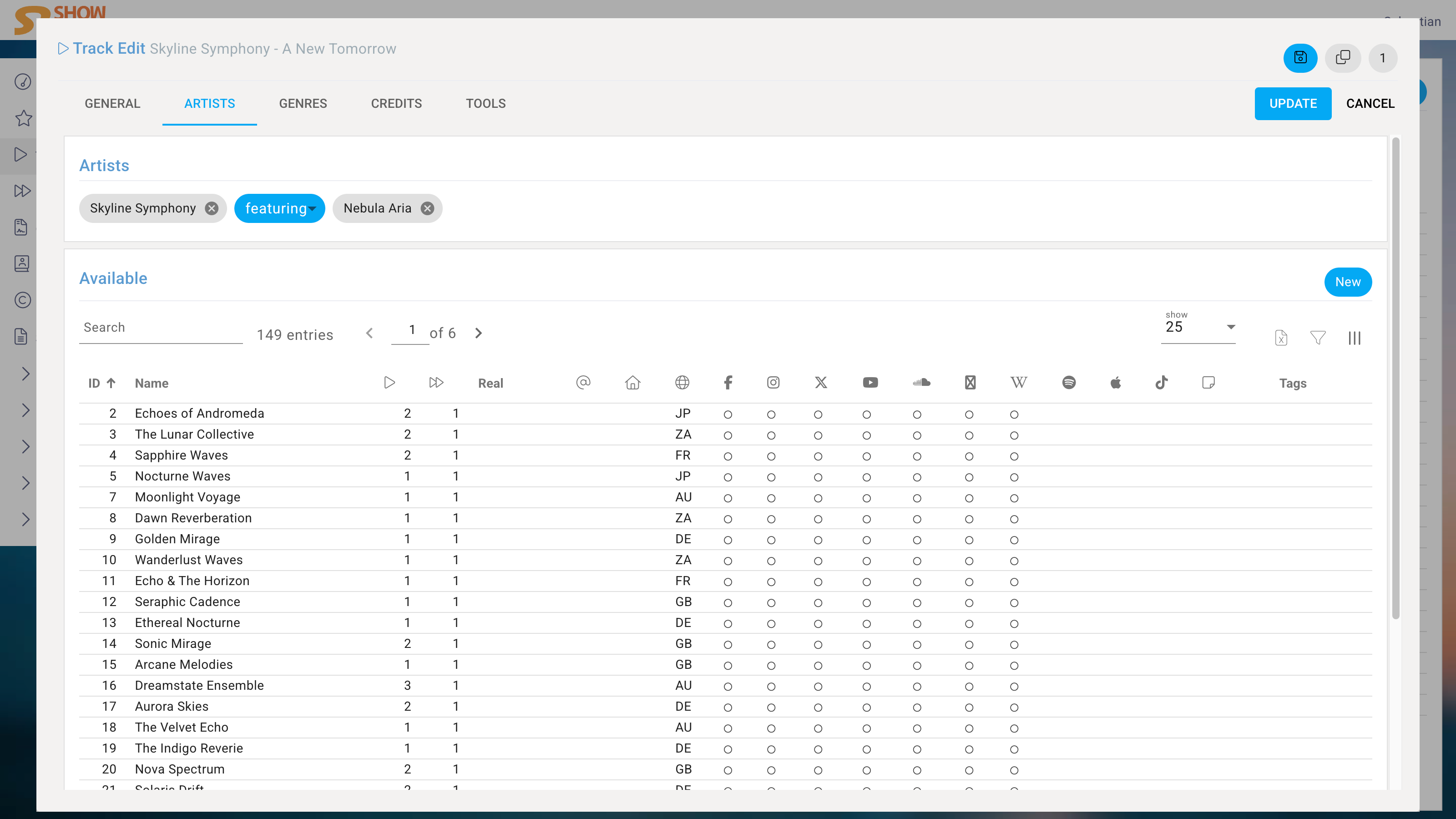
The Artists are assigned by choosing from the Artists database or by creating a new Artist on the fly.
If multiple Artists are involved, the selection step is repeated, and a Copula is placed before each additional Artist's name. The Copula later determines whether the additional Artist is a primary or secondary Artist. Secondary Artists are not linked to an Artist profile in many DSPs.
The following Copulas are available by default:
| Copula | primary/secondary |
|---|---|
| , | primary |
| + | primary |
| & | primary |
| x | primary |
| and | primary |
| featuring | secondary |
| feat. | secondary |
| vs. | primary |
| presents | primary |
| meets | primary |
| with | primary |
| und | primary |
| mit | primary |
Genres
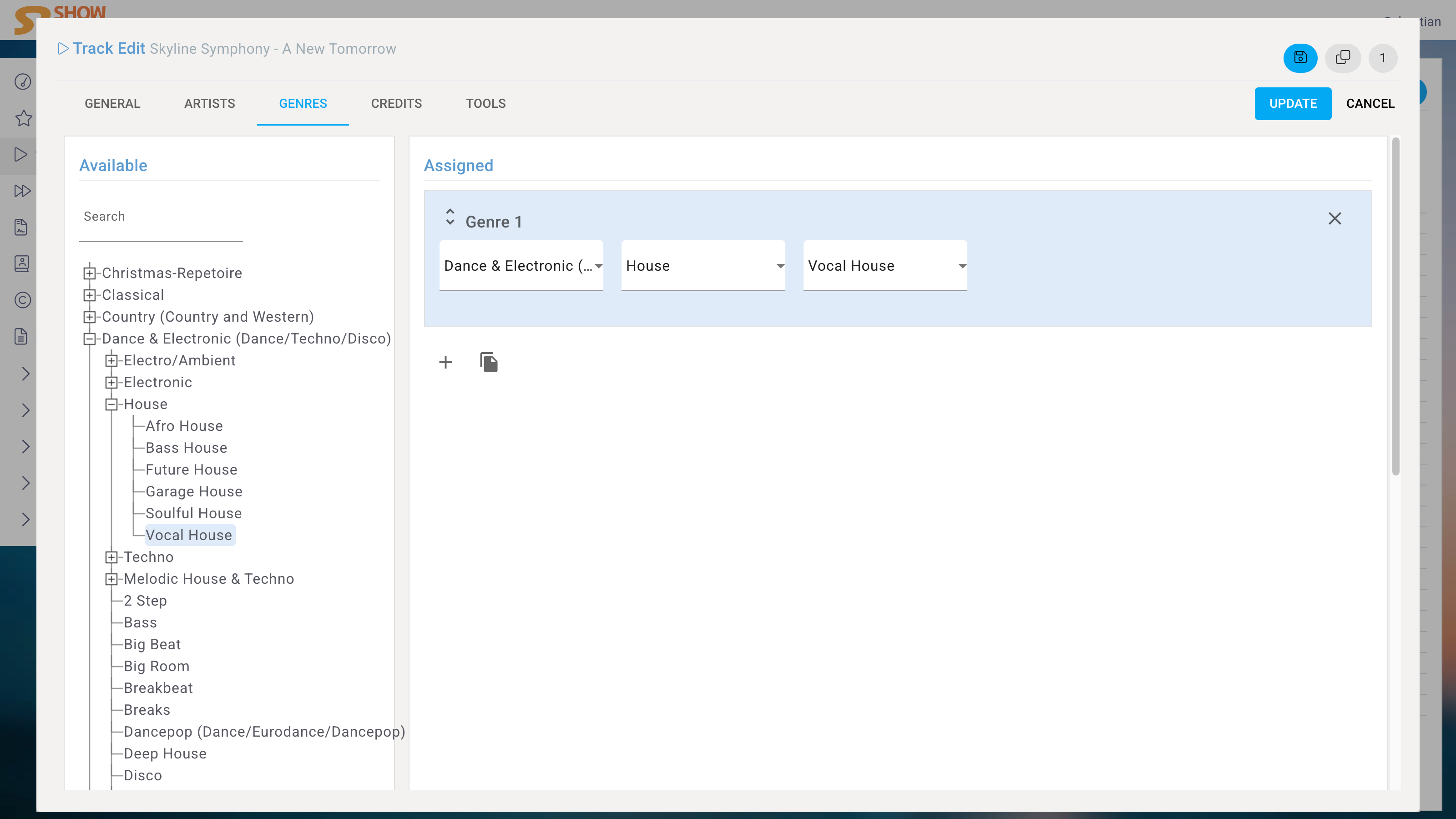
In the Genres module you select the genre. If you use the system to deliver to aggregators, the genre will be automatically mapped to the aggregator’s genre.
You can set up to three genres per track, but only the first one will be used for distribution. The second and third genres are for internal use and can be used for filtering and reporting purposes.
Credits
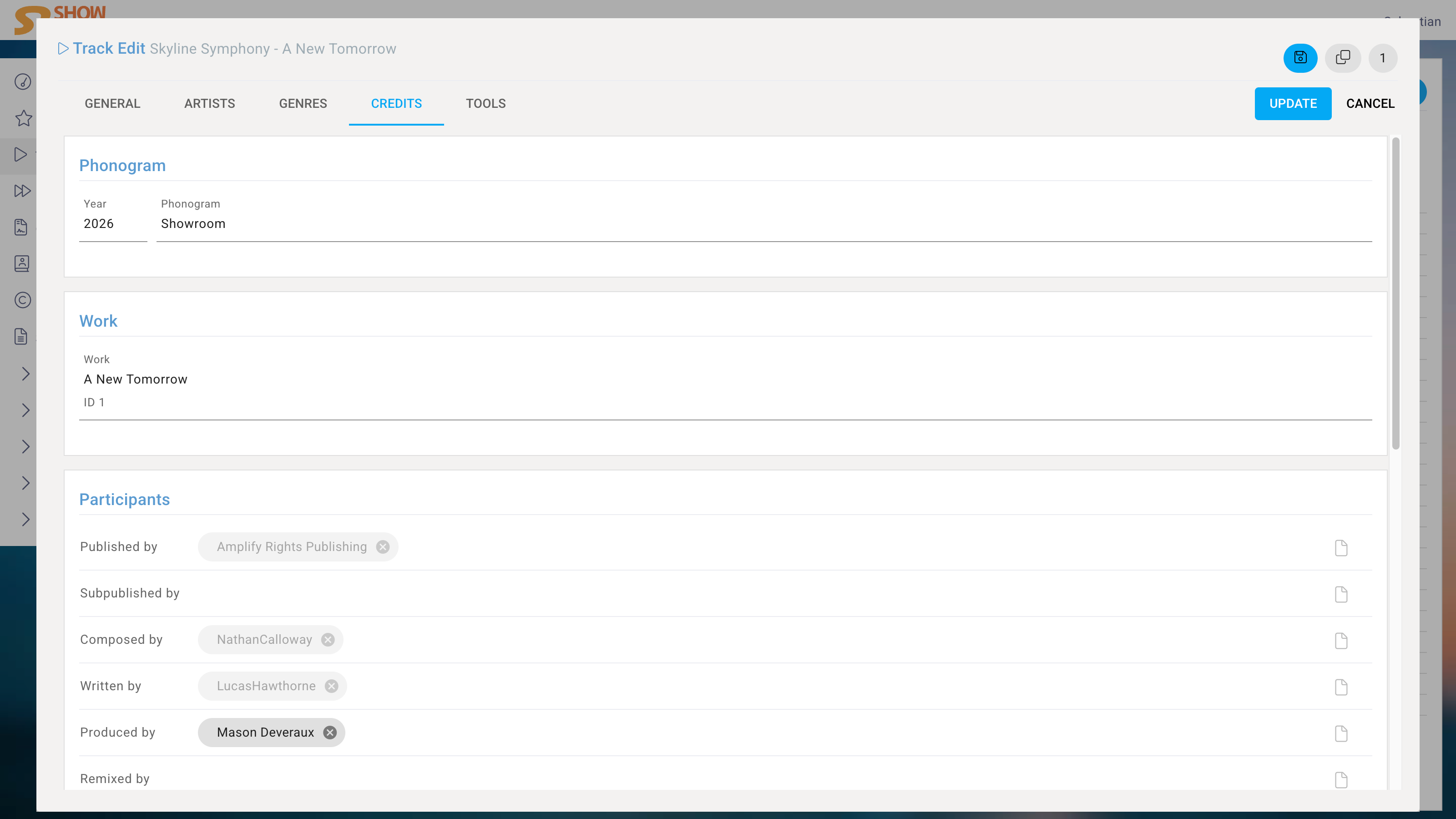
You specify the Participants, such as the composers and producers in the module Credit by selecting from your participant database or create new ones. If you use the system to manage your Publishing and the Track is a recording of a Work, you can assign the Work, and all copyright credits will be inherited.
Tools
Main product
If the track is included in multiple Products, the main product is the Product that determines the artwork where ever it is used like in ID3 tags and metadata such as release date. It can be set manually here, but it is also automatically assigned to the Product with the earliest release date.
In-house
If a track is marked as in-house, it means that it won't be assigned to any Contract with full awareness. In-house tracks do not trigger any alerts about missing Contracts in Import Edit and the column "Contracts" in the Track List View will show an "i" instead of 0.
Managing partner
If a Partner other than the Label partner is managing this Track, you can select the Partner here. If set and applicable, the managing partner will receive licence requests.
Contracts
A list of Contracts that include this Track is displayed here.
Delete
If the track is not linked to a Product or Contract and if it doesn't have a sale, it can be deleted.