Imports
General
The sales import is the process of importing sales data into the system, which can be done manually or automatically via an API. The imported sales data is then used to calculate royalties and generate statements for licensors.
List view
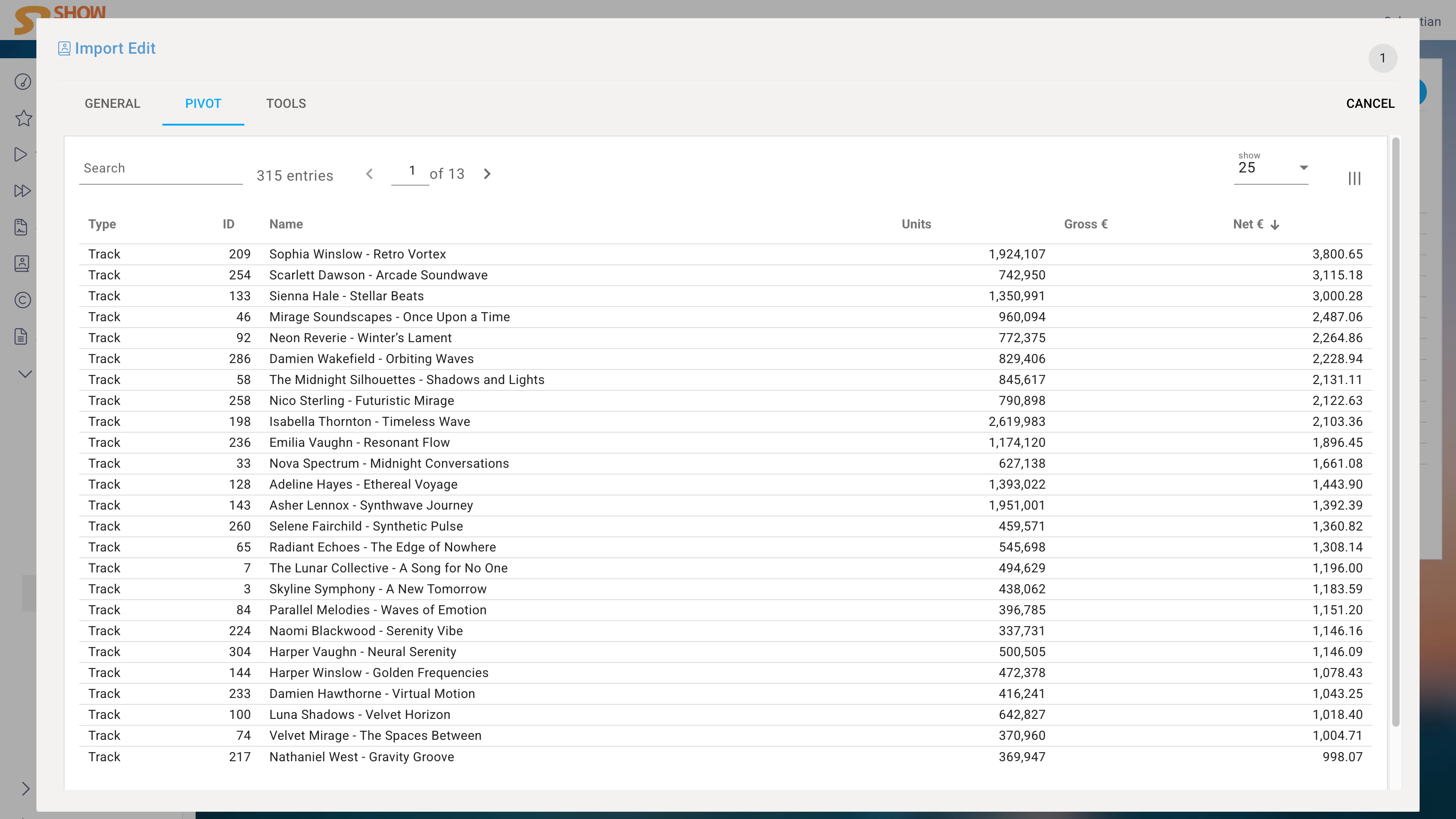
The List View displays all Imports in a tabular format, allowing you to quickly see the details of each Import, such as the term, type, and status.
Edit View
Partner
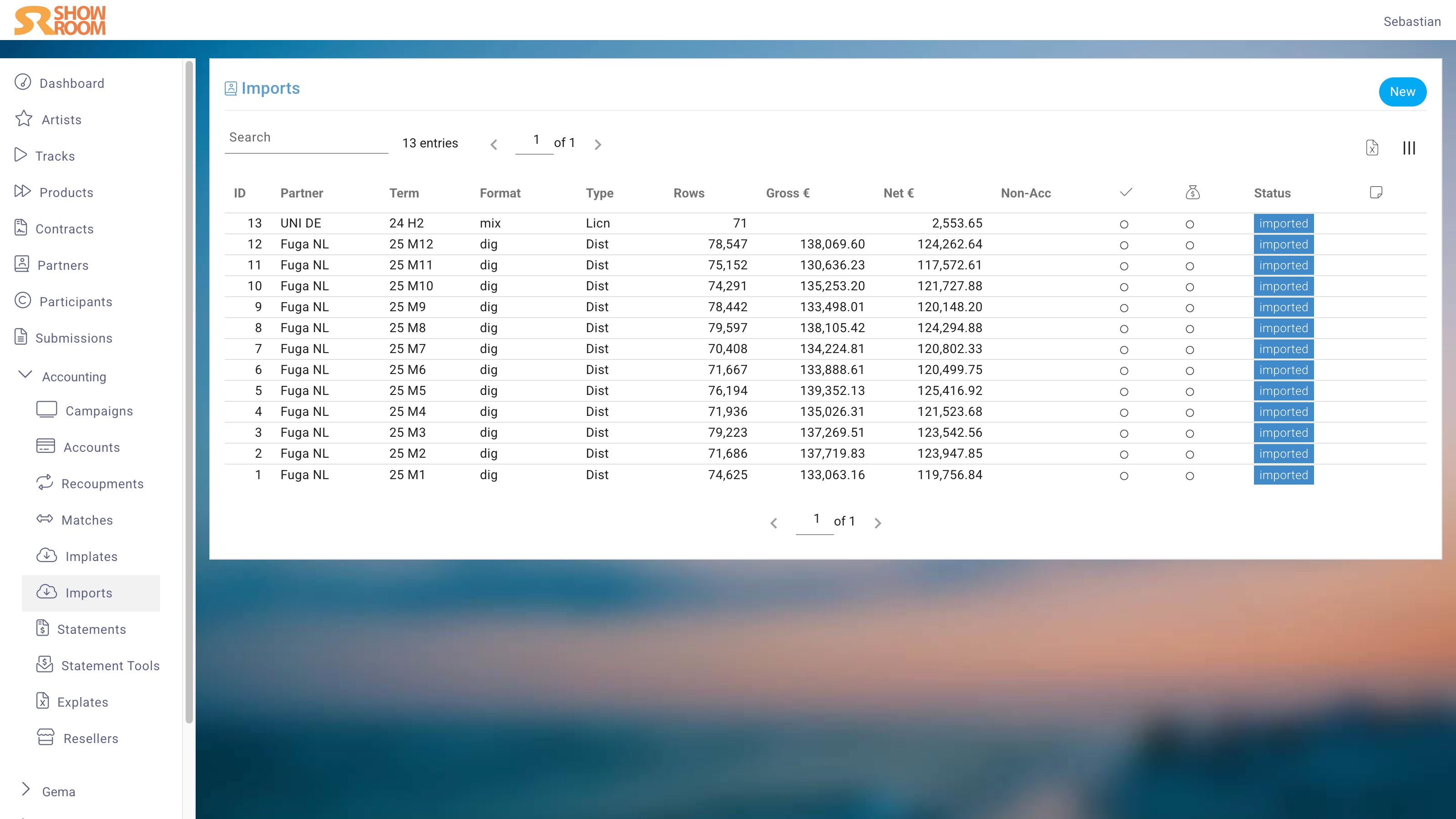
In the Import Edit View, you first enter the Partner (here, Reporter).
Company
If more than one Company is configured in the instance, one of the Companies can be selected as the recipient. There are two reasons for this:
- Contracts assigned to one Company ignore sales from other Companies in the Contracts.
- Reporting may later require the ability to analyze data separately for each Company.
Year and term
For the term, select the year and the period in which the reported sales occurred.
Currency
The currency is the one in which the report was generated. If the file to be imported contains US dollar amounts, USD must be selected here. If the instance is configured in, for example, euros, the exchange rate is automatically converted, using the last day of the report period as the reference date.
Exchange rate
The exchange rate can also be set manually. You can enter it numerically or simply enter the net total, i.e., the amount that actually arrived in the bank account. The exchange rate will then be calculated and set automatically in real time.
Offset factor
The offset factor allows you to change all imported amounts by any desired factor. At a factor of 0.5, all amounts would be halved; at a factor of 1.2, they would be increased by 20%.
Checked & Paid
The Checked and Paid markers help maintain an overview of the Imports in daily work. They have no further effect, meaning that Imports not marked as Checked or Paid will still be billed.
PDFs
It is good practice to upload the cover sheets of the sales reports here, as well as any correspondence as PDFs, for quick access later. Often, the reason for an offset is only apparent from the cover sheet.
Error report
If the imported sales report contains Tracks or Products that are neither assigned to a Contract nor marked as in-house, they will be listed here.
Pivot table
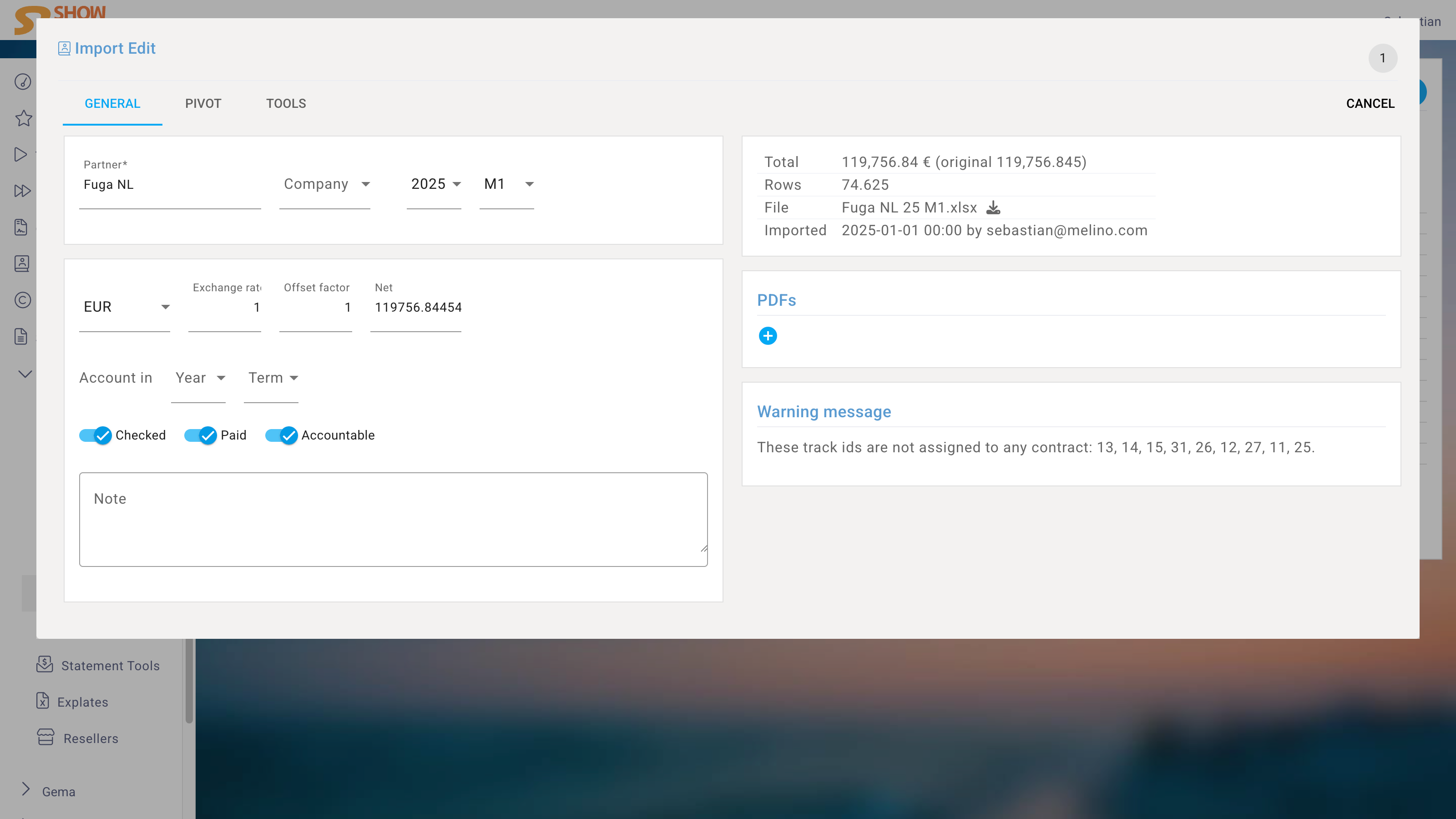
The Pivot table provides a quick overview of sales per Track and Product. This is useful for checking the plausibility of the Import and for reviewing the most important sales figures, although it does not replace actual controlling.